
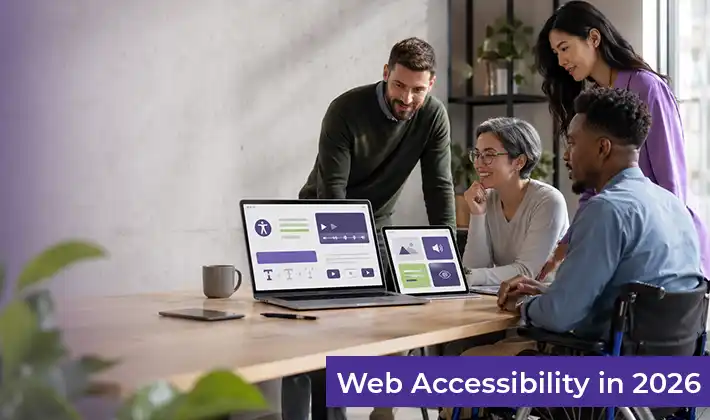
By 2026, web accessibility will have moved beyond mere intent. Nearly every organisation that Tranistics engages with, universities, global enterprises, and public institutions, acknowledges the importance of accessibility. Policies are established, statements are published, and commitments are made. However, close examination of actual digital ecosystems often reveals a disconnect between stated intentions and practical outcomes.
At Tranistics Data Technologies, we work alongside organisations responsible for tens of thousands of webpages, applications, documents, and digital workflows. Over time, a clear pattern emerges accessibility fails not because teams don’t care, but because accessibility is rarely engineered into how digital systems operate, evolve, and scale.
What follows are 15 practical, experience-driven ways organisations are meaningfully improving website accessibility in 2026, not as theory, but as operational reality. These are not abstract principles; they are hard-earned lessons drawn from certified accessibility audits, remediation programs, and long-running Accessibility as a Service engagement.
1. Accessibility Is Finally Moving Beyond the Compliance Checkbox
For many years, accessibility was treated like a legal formality: run an audit, fix a few issues, publish a statement, move on. That approach breaks down completely in 2026 because digital platforms are no longer static. Websites today change daily. Universities add new course pages every semester, and enterprises release new features every few weeks. AI tools generate new content instantly.
In this environment, accessibility problems don’t stay fixed; they quietly return. Organisations that are making real progress have accepted a simple truth: accessibility must be maintained continuously, not “achieved” once. This is why web accessibility as a Service has become relevant. Instead of chasing compliance after problems appear, accessibility is monitored, tested, and corrected as digital content evolves. At Tranistics, we see this shift clearly: clients who adopt a continuous accessibility model experience fewer compliance risk, fewer user complaints, and far less remediation effort over time.
2. Automated Accessibility Tools Alone Are Not Enough
When people hear “accessibility,” they often think of automated tools. These tools scan websites to detect issues like missing alternative text, insufficient colour contrast, or missing labels. They are useful but limited. Automated tools typically detect only about 25–30% of real website accessibility issues. They cannot determine whether content makes sense, whether instructions are clear, or whether a user can successfully complete a task.
For example, a form might technically have labels, but those labels may be unclear when read aloud by a screen reader. An automated tool would pass it; a real user might fail. This is where human-led accessibility testing services matter. At Tranistics, certified trusted testers manually test websites and applications using assistive technologies such as screen readers and keyboard navigation. We simulate real user journeys, logging in, filling out forms, and navigating menus, not just scanning code. The difference is critical: tools find errors; people find failures.
3. Poor Colour Contrast Still Blocks Users Every Day
Colour contrast refers to how clearly text stands out from its background. If contrast is too low, people with low vision, colour blindness, or even users in bright lighting simply cannot read the content. This doesn’t usually generate complaints; instead, users stop reading, abandon the task, or misinterpret information. For example:
- A “Submit” button blends into the background.
- Error messages appear in light red text that is unreadable.
- Charts rely solely on colour to explain data.
Industry studies consistently rank colour-contrast failures among the most common web accessibility issues, appearing on a large share of websites. Organisations improving accessibility in 2026 address colour contrast early during design, not after pages are built. Tranistics uses colour-contrast analysers alongside manual review to validate contrast across real screens and devices. This helps ensure accessibility without forcing brands to compromise their visual identity.
4. Content Structure Is Where Accessibility Often Breaks
Digital accessibility is not just about code; it is deeply tied to how content is structured. For example:
- Headings should follow a logical order (H1 for the main title, H2 for sections, and so on)
- Lists should be marked correctly so assistive technologies can interpret them.
- Page landmarks (navigation, main content, footer) must be defined so users can move efficiently.
When content creators copy and paste text, improvise layouts, or use visual styling instead of proper structure, accessibility breaks, even though the page looks fine. At Tranistics, we regularly see university pages where headings jump randomly, or enterprise knowledge bases where content is visually organised but structurally chaotic. Screen reader users experience this as confusion, delays, or a complete loss of meaning. This is why modern web accessibility services include content audits, not just technical reviews.
5. Accessibility Is Being Built into Regression Testing
Regression testing ensures that when a website is updated, previously working features don’t break. In 2026, accessibility checks will be added directly into this process. Instead of waiting for a quarterly audit, organisations now test accessibility whenever:
- A new feature has been released.
- A template is updated.
- Content frameworks change.
Tranistics integrates accessibility testing services directly into QA cycles. This means issues are detected immediately, not months later. The result is faster fixes, lower cost, and far less compliance risk.
6. Simpler Websites Are Easier to Make Accessible
Many accessibility problems come from unnecessary complexity, custom dropdowns, animated menus, and nonstandard controls. These often look modern but create barriers. For example, a custom-built navigation menu may look appealing visually but fail keyboard navigation entirely. A standard HTML menu would work instantly with assistive technologies. Organisations improving accessibility focus on clear, predictable behaviour. This doesn’t limit innovation; it improves reliability. Users know what to expect, and accessibility issues naturally decrease.
7. Third-Party Platforms Are Now Tested for Compliance
Modern websites rely heavily on third-party tools: learning systems, analytics dashboards, chat widgets, and payment systems. If these tools are inaccessible, the organisation inherits the risk. In 2026, organisations no longer assume vendors are compliant; they verify. Tranistics evaluates accessibility across third-party applications as part of broader accessibility audits. This includes testing integrated tools, embedded widgets, and externally hosted platforms to ensure they meet website accessibility compliance requirements.
8. Institutional Documents Are One of the Biggest Accessibility Risks
PDFs, Word documents, and presentations are often treated as secondary content. In reality, they are frequently the most accessed digital assets. Particularly in higher education, navigating the logistical implications of ADA Title II enforcement on institutional document management reveals massive PDF accessibility gaps. Common problems include:
- Scanned PDFs with no readable text
- Missing headings and reading order
- Tables that make no sense when read aloud
- Images without descriptions
For a visually impaired user, an inaccessible PDF can be completely unusable. Tranistics provides large-scale document remediation as part of digital accessibility remediation programs. This ensures documents meet accessibility standards and can be used by everyone, not just viewed.
9. Mobile Devices Reveal Accessibility Gaps Quickly
Accessibility that works on a desktop may fail on a mobile device. On smaller screens:
- Content order changes
- Interactive elements shrink
- Navigation behaves differently
For example, a mobile menu might be visually clear but impossible to navigate using assistive technology. Organisations are improving accessibility testing on real devices, phones and tablets, not just desktop browsers. This reflects how users access content in 2026.
10. Accessibility Requires Clear Ownership
One of the most common reasons accessibility initiatives fail has nothing to do with technology. They fail because no one is clearly responsible. In many organisations, accessibility sits in a grey zone. Design teams assume developers are handling it. Developers assume QA or compliance teams will catch issues. Leadership assumes an audit will “take care of it.” The result is predictable: accessibility is discussed but rarely enforced.
Consider a real scenario we see often: a website update goes live with new content templates. No one intentionally ignores accessibility, but no one reviews it either. Six months later, the organisation commissions another accessibility audit and discovers many of the same issues have returned. In 2026, organisations improving website accessibility assign clear ownership at the platform or program level. This does not mean one person fixes everything; it means someone is accountable for ensuring accessibility is reviewed during planning, releases, and vendor decisions. At Tranistics, our Accessibility as a Service model formally defines this ownership structure with clients, ensuring accessibility is not dependent on individual memory or goodwill. This single change significantly reduces repeat failures across large digital ecosystems.
11. Fixing Templates Prevents Hundreds of Errors
Most accessibility problems are not isolated mistakes; they are structural. When a navigation bar is inaccessible, it affects every page it appears on. When a page template has incorrect headings or landmarks, every new page built with that template carries the same problem. Fixing individual pages may look productive, but it does not solve the root issue.
We routinely work with organisations that have thousands of pages but only a handful of core templates. Once these templates are corrected, accessibility improves across the entire site almost immediately. For example, one enterprise client reduced repeat accessibility violations by more than 60% simply by remediating four core templates instead of hundreds of individual pages. Tranistics focuses heavily on template-level remediation during certified accessibility audits and digital accessibility remediation projects. This approach saves time, reduces cost, and creates lasting website accessibility compliance.
12. Design Systems Are Being Audited for Accessibility
Design systems decide how digital products behave long before a single line of code is written. Buttons, forms, alerts, modals, these patterns are reused everywhere. When accessibility issues exist inside a design system, they are multiplied across every product and page that uses it. Conversely, when accessibility is built into the design system, it scales automatically.
In 2026, leading organisations are no longer auditing only finished websites. They audit design systems themselves to ensure components meet accessibility requirements before mass adoption. At Tranistics, we conduct accessibility reviews at the component level, validating behaviour, structure, and usability before those components are reused across multiple platforms. This prevents accessibility debt from being baked into future development. This shift is one of the most effective ways organisations strengthen long-term web accessibility services outcomes.
13. Training Now Focuses on Practical Roles
Accessibility training used to be broad and generic. As a result, teams left sessions understanding the theory but unsure how to apply it in their daily work. In 2026, organisations are seeing better results when training is tied directly to job roles. Designers learn how visual hierarchy affects screen reader navigation, while developers learn how semantic HTML affects assistive technologies. Content teams learn how headings, tables, and links impact readability for all users.
For example, when content teams understand why skipping heading levels breaks navigation for screen reader users, errors drop sharply, often without additional tooling. Tranistics provides role-specific guidance as part of its accessibility programs, ensuring training translates directly into better website accessibility compliance rather than abstract knowledge.
14. Accessibility Progress Is Measured Over Time
A single accessibility audit provides a snapshot, not a trajectory. Many organisations make decisions based on one report, if fixing the listed issues equals long-term compliance. Accessibility changes as content changes. Without ongoing measurement, regression is inevitable.
Organisations making progress in 2026 track accessibility trends: which issues recur, how quickly problems are resolved, and where breakdowns commonly occur. This data helps leadership focus investment where it reduces risk. Through Accessibility as a Service, Tranistics helps organisations move from one-time audits to continuous visibility. Instead of asking, “Are we accessible today?” leaders can answer, “Are we improving and staying accessible over time?” This marks a major shift from reactive compliance to proactive governance.
15. Long-Term Accessibility Partnerships Are Replacing One-Off Audits
The final and most important shift is how organisations approach accessibility support. One-off audits identify problems, but they do not prevent those problems from returning. Digital platforms evolve too quickly for static assessments to hold long-term value. Organisations in 2026 are choosing accessibility partners, not vendor teams that understand auditing, remediation, validation, and continuity across changing platforms and content strategies.
Tranistics operates as an extension of internal teams, supporting accessibility across websites, applications, and documents on an ongoing basis. This reduces risk during audits, improves user experience consistently, and ensures accessibility keeps pace with business growth. Accessibility as a Service is not about doing more work; it is about preventing the same work from being repeated.
Final Perspective from Tranistics
Accessibility in 2026 is not about memorising standards. It is about building digital systems that remain usable as they grow, change, and scale. Organisations that understand this are not just more compliant, they are more resilient, more inclusive, and better prepared for the future. That is the role Accessibility as a Service plays today and the future we help build.