If accessibility were really “solved,” we wouldn’t still be fixing the same problems year after year.
At Tranistics, we audit hundreds of websites, applications, and documents across universities, enterprises, and regulated organizations. The scale changes. The platforms change. The problems rarely do.
Most organizations believe they’re partially compliant. The reality we uncover through certified accessibility audits is very different.
This article is based strictly on what our auditors see every week, during Section 508 accessibility audits, WCAG compliance services, and long‑term Web Accessibility as a Service engagements, where common website accessibility issues continue to surface.
No theory. No hype. Just the patterns that keep failing and how we actually remediate them.
Common Website Accessibility Issues at a Glance
Many websites still fail to meet basic WCAG and Section 508 accessibility requirements despite ongoing awareness of digital accessibility. The most common website accessibility issues include:
- Poor color contrast
- Missing or ineffective alt text
- Improper heading hierarchy
- Inaccessible forms
- Missing button labels
- Keyboard navigation failures
- Missing language attributes
- Inaccessible PDFs and documents
- Mobile accessibility issues
- Over-reliance on automated testing tools
These web accessibility barriers can affect screen reader users, keyboard-only users, users with low vision, and individuals relying on assistive technologies.
Why Website Accessibility Still Matters
Accessibility is no longer a checkbox project. It has become:
- A legal obligation
- A procurement requirement
- A reputation risk
- And increasingly, a business differentiator
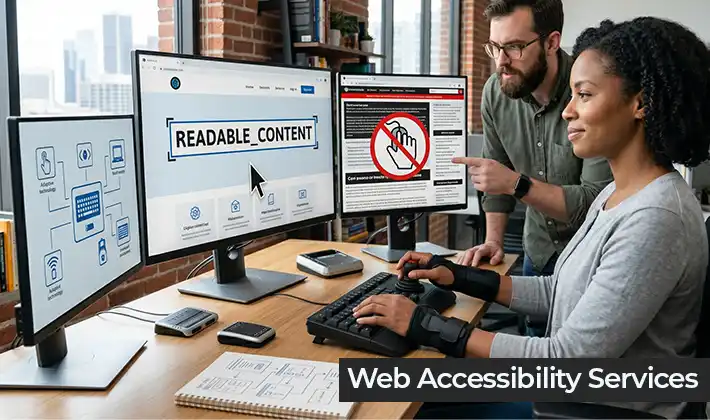
Digital accessibility remediation today spans websites, learning platforms, internal tools, mobile experiences, and massive document libraries. If one piece breaks, the experience breaks.
This is why more organizations are moving away from one‑time fixes and toward ongoing web accessibility services.
The Business Impact of Accessibility Issues
Website accessibility issues affect more than compliance alone. Organizations may experience:
- Lower user engagement
- Higher bounce rates
- Reduced form completions
- SEO performance issues
- Legal and procurement risks
- Poor user experience across devices
An accessible website improves usability for all users while supporting WCAG compliance, ADA accessibility expectations, and inclusive digital experiences.
1. Poor Color Contrast and Readability Issues
This is the most common issue we find, even on well‑designed websites.
Brand palettes are applied without checking real contrast thresholds. Text passes design review but fails real‑world accessibility testing.
What happens in practice:
Users struggle to read navigation, alerts, charts, or calls‑to‑action especially on mobile screens or under different lighting conditions.
How we remediate:
We combine contrast analysis tools with manual review, reviewing components exactly as users encounter them not just in static mocks.
This approach is foundational to all our WCAG compliance services.
2. Missing or Ineffective Alt Text on Images
Images without meaningful alternatives are still everywhere especially in:
- University course portals
- Marketing pages
- Dashboards
- Learning materials
Automated scans catch the absence. They don’t judge relevance.
What we consistently see:
Alt text exists, but it’s vague, duplicated, or meaningless.
Our approach:
During digital accessibility remediation, we review images in context. Functional imagery, instructional graphics, and data visuals are treated very differently from decorative assets.
That distinction only comes through manual auditing.
3. Improper Heading Structure and Reading Order
This is a silent accessibility failure that automated tools often under‑report.
Headings are used for styling not structure. Pages look organized but read like chaos when navigated via assistive technology.
Why this matters:
For users navigating complex academic or enterprise content, structure is navigation.
How Tranistics fixes it:
We audit reading order and hierarchy across pages and documents, not just individual elements. This is a standard step in every certified web accessibility audit we conduct.
4. Forms That Are Technically There but Practically Unusable
Forms often pass visual QA and still fail accessibility testing.
Common issues we find:
- Inputs without clear programmatic labels
- Error messages that aren’t announced
- Instructions embedded only visually
Impact:
Admissions forms, onboarding workflows, procurement portals users drop off because the flow simply doesn’t work for them.
Our remediation strategy:
We test form behavior across assistive technologies and devices, then remediate both markup and interaction logic. This is core to real website accessibility compliance.
5. Buttons and Interactive Elements Without Accessible Labels
Buttons, icons, toggles, expandable content these are often implemented visually first.
Without proper names or roles, assistive technology users encounter “button, button, button” with no context.
What makes this challenging:
Over‑engineering with ARIA frequently makes things worse.
Our rule at Tranistics:
Use native semantics first. Add ARIA only when it genuinely adds accessibility.
This philosophy comes from years of hands‑on accessibility testing services, not theory.
6. Missing Language Attributes for Screen Readers
This is one of the easiest fixes and one of the most overlooked.
Without defined language attributes, screen readers guess. That guess is often wrong.
We see this on:
- University homepages
- Research portals
- Knowledge bases
Fixing it properly:
We implement language declarations at both document and content levels and verify pronunciation behavior during testing.
7. Inaccessible PDFs and Documents
PDFs and office documents remain one of the biggest compliance risks.
Scanned files. Broken tags. Incorrect reading order. Missing structure.
Why this keeps happening:
Documents are produced at scale by multiple teams, with no consistent accessibility workflow.
Why our clients trust us:
Tranistics is a Benetech‑certified conversion vendor, trusted to remediate large volumes of documents accurately. This capability is essential for institutions managing years of legacy content.
8. Mobile Accessibility Issues Across Responsive Layouts
Responsive design often focuses on visuals. Accessibility behavior changes quietly across breakpoints.
We routinely find:
- Elements that disappear from reading order
- Interactions that change meaning
- Focus behavior that breaks on smaller screens
Our solution:
We test accessibility across real devices and real assistive technologies, not emulators alone. This is baked into our Accessibility as a Service model.
9. Over-Reliance on Automated Accessibility Testing Tools
Automation has value. It does not replace expertise.
Many organizations come to us after “passing” a tool‑based scan—only to fail real audits.
Reality check:
Automated tools typically surface a fraction of actual WCAG failures.
Our difference:
Every engagement includes certified manual testing performed by auditors trained under Section 508 Trusted Tester standards.
That’s where real compliance is proven.
10. Treating Accessibility as a Project Instead of a Capability
This is the root issue behind all the others.
Accessibility isn’t a one‑time fix. Platforms change. Content grows. Frameworks evolve.
Organizations that succeed long‑term invest in:
- Ongoing audits
- Continuous remediation
- Governance and expertise
This is exactly why many choose Accessibility as a Service instead of reactive fixes.
Final Thoughts
Most web accessibility issues are not caused by a lack of awareness alone. They persist because accessibility is often treated as a one-time project instead of an ongoing operational capability.
Organizations that maintain long-term accessibility success typically invest in continuous accessibility testing, remediation workflows, governance processes, and expert support.
As digital experiences continue evolving, accessibility must evolve with them.